
How to use your phone abroad.

Flights booked, money sorted, now for your phone. Here's how to get online the moment you land, keep your home number, and skip expensive roaming.

💰 How much does this actually save?

A week's travel eSIM with enough data runs about $5 to $15. Left on default roaming, the same week can cost that much in a single day, and airport SIM kiosks charge a markup on top. Buying an eSIM before you leave saves you time too: instead of hunting for a SIM shop after landing, you're online straight away.

The 30-second version

If you only remember three things:

  • Buy a travel eSIM before you leave, so you're online as soon as you land.
  • First check your phone supports eSIM and is unlocked. Thirty seconds in Settings.
  • Turn data roaming off on your home SIM so it can't run up charges behind the eSIM.

How to sort your phone before you leave

Do these six things at home and you'll land already online, with your apps ready, no SIM-shop hunt and no surprise roaming bill.

1

Buy a travel eSIM.

For most trips it's the easiest option: buy online, install before you fly, and land already connected.

An eSIM lets you install a mobile plan digitally instead of swapping a physical SIM card. You buy a plan for wherever you're going, scan a QR code, and your phone connects to a local network when you arrive. Your normal SIM stays in the phone the whole time, so your home number keeps working for calls, texts, and the codes your bank sends.

The one requirement: your phone has to support eSIM and be carrier-unlocked. Almost every phone from the last few years is, and the next step shows how to check.
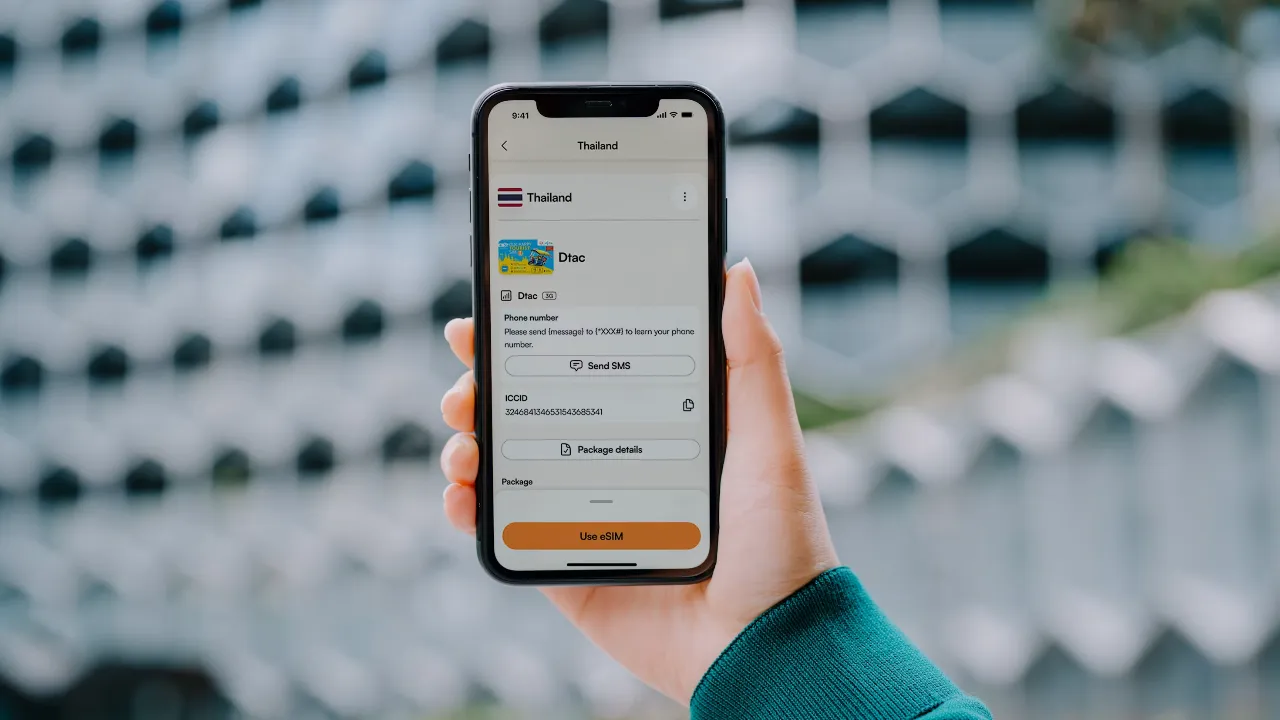
A hand holding a phone showing the Airalo app, with a travel eSIM installed and ready to use.
2

Check your phone supports eSIM.

Two quick checks, both done at home: does your phone support eSIM, and is it carrier-unlocked?

Does it support eSIM? Most phones from the last few years do: iPhone XS and newer, recent Google Pixel, and most flagship Samsung Galaxy models. On an iPhone, go to Settings, then Mobile Data, and look for "Add eSIM". On Android, search "eSIM" in Settings. Recent US iPhones (14 and newer) don't even have a physical SIM slot, so they're eSIM-only.

Is it unlocked? A phone tied to your home carrier will refuse a foreign network. If you bought it outright, or finished paying off a contract, it's usually unlocked. If you're not sure, ask your carrier, or check on an iPhone under Settings, General, About, where "Carrier Lock" should read "No SIM restrictions".

Do this at home. An airport at midnight is a bad place to find out your phone is locked.
3

Don't buy more data than you need.

Most people buy far more than they use. Start small and top up if you run low.

eSIM plans are sold by the gigabyte, and it's easy to over-order out of nerves. A week's holiday doesn't need 20GB. Maps, messaging, and browsing barely register. What eats data is video: streaming, video calls, and using your phone as a hotspot for a laptop.

Roughly what a day looks like:
What a day actually uses
Light: maps, chat, email, a few searches250-500 MB
Medium: the above plus social and the odd videoaround 1 GB
Heavy: streaming, video calls, phone-as-hotspot2 GB and up

A week of medium use is around 5 to 7GB. Buy five and top up in the app if you need more, rather than paying up front for twenty you'll never touch. Hotel and cafe Wi-Fi will cover the heavy stuff.

4

Set it up before you fly.

Install it at home on Wi-Fi, spend two minutes on the settings, then just land and go.

Installing an eSIM needs a connection, because it downloads the plan over the QR code, so do it at home on Wi-Fi rather than hunting for signal at the airport. When you add it, your phone asks you to name the new plan: call it "Travel" so it's easy to tell from your home line. Then set it up like this:
Two minutes of setup
  • Install it at home on Wi-Fi
  • Use the eSIM for mobile data
  • Keep your home line on, for calls and texts
  • Turn off data roaming on your home line

The mistake people make is switching their home line off completely once the eSIM is working. Leave it on, or the bank codes that come by text won't arrive. Only data roaming needs to be off. Receiving texts is normally free, but some carriers start a daily travel pass the moment you make a call or send a text on your home number abroad, so don't use it for that unless you know your plan.

Two more things. Some plans start counting from the moment you install, others from first use, so if yours starts on install, set it up closer to your trip. And when you get home, switch your home data back on and delete the travel eSIM.

5

Download your apps before you fly.

Download the apps you'll need and sign into them while you're still at home. Not on patchy airport Wi-Fi or a brand-new eSIM.

Some apps ask you to verify your phone number or payment method the first time you use them, and doing that at home is a lot easier than standing outside the airport trying to book a ride.

The big one is getting around. Uber isn't everywhere, so check which ride-hailing app locals actually use where you're going:
🚗 Getting aroundGrab (Southeast Asia), Bolt (Europe and Africa), DiDi (China and parts of Latin America), Careem (Middle East), Ola or Rapido (India), inDrive (many countries).
🗺️ MapsDownload your map app and any offline maps you'll need.
🗣️ TranslationDownload your translation app and any offline language packs.
💬 MessagingWhatsApp covers most of the world, but some countries use a local app instead, so check before you go.
💳 MoneyYour banking app, any travel card you use, and your eSIM app. Set up Apple Pay or Google Wallet before you go.
🔐 Two-factorIf your bank or email needs an authenticator app to log in, set it up before you leave. Getting locked out from abroad is a real headache to fix.
🎬 For the flightDownload a few films, shows, or podcasts before you lose Wi-Fi.

Sign into each app at home, so when you land everything just works. Once the essentials are sorted, you're good to go.

📱 The travel apps we actually use The ones that earned a permanent spot on our phones after years on the road.
6

When a local SIM or roaming is better.

An eSIM suits most trips, not all. Here's when a local SIM or roaming beats it.

An eSIM is the easy default, but not the only answer. Two cases where something else is better:
Get a local SIM if
  • You need a local phone number
  • It's cheaper (sometimes, not always, on a long stay or with heavy daily data)
Use roaming if
  • Your plan includes free roaming (EU, etc.)
  • Your carrier sells a cheap travel pass

Buy a physical SIM from an official carrier shop in town, not the airport kiosk, which charges a markup. And unless you know your plan gives you a genuinely good roaming deal, turn data roaming off before you fly. People still come home to bills over $1,000 from leaving it on. How connected and cash-friendly a place is varies a lot country to country, which our destination guides get into.

Want more tips like these?

Honest advice on exchange rates, travel money, eSIMs, scams, and practical tricks that save you money wherever you go. Free, no spam.